
Kling · Video
Kling 4.0
Kling 4.0 is Kling's video model on Vidaro Studio for four jobs the catalog actually lists: text to video, image to video, reference to video, and video edit. It is a separate model from Kling 3.0, Kling 3.0 Turbo, and Kling 3.0 Motion Control. Those pages stay as they are. Kling 4.0 does not follow a performance video the way Motion Control does, and it does not offer a video-extend mode. Audio is not part of this model. Each mode in the catalog marks audio as unsupported, so Create does not ask you to generate a soundtrack.
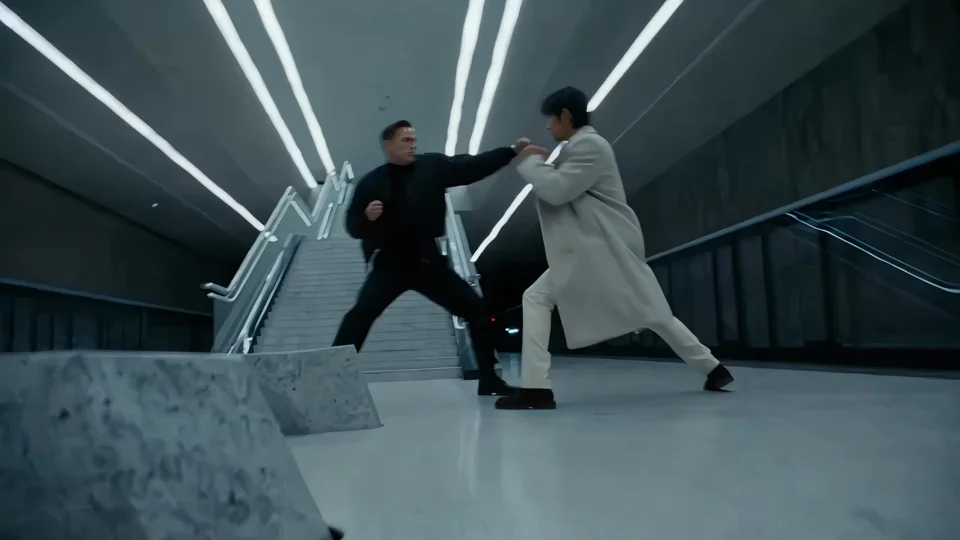
Examples

What it is
Text to video starts from a prompt. Duration is any whole second from 3 through 30, quality is 720p or 1080p, and the aspect ratios are the ones the text-to-video payload returns, including the default. Image to video needs a start frame. An end frame is optional. You can also attach an ordered list of up to 8 keyframes. Create keeps that order, lets you add, remove, or move a frame earlier or later, and sends the finished list as the catalog's image list. A keyframe list without a start frame does not run.
Reference to video takes up to 10 images and up to 5 videos. At least one image or one video is required, because the catalog allows either kind and rejects an empty set. Video edit needs a source video. You can add up to 10 reference images, and you pick an output duration from 3 to 30 seconds. That selector is the length you are billed for. The length of the file you upload is not the billable length. Text to video, image to video, and reference to video without a video share one per-second rate. Reference to video with a video attached, and video edit, use a lower per-second rate. Settings and credit cost prints both tables from the live catalog, at 720p and 1080p.
Best uses
Use Kling 4.0 when the clip should be longer than a short preset and you know which of the four modes matches the material you have. Text to video is the path when the scene is only a sentence. Image to video is the path when a start frame should open the shot, an optional end frame should close it, and up to eight keyframes should mark what happens between them. Reference to video is the path when you already have photographs, clips, or both, and the new shot should follow that material. Video edit is the path when a finished clip should change and you want to set the output length yourself. Stay on Kling 3.0 or Turbo when you want those models' quality names, sound flags, or credit tables. Stay on Motion Control when the job is to copy a performance from a reference video onto a still.
Settings and credit cost
Catalog starting price: from 31 credits / s (18 credits / s when editing a video or with a reference video).
Kling's newest model: up to 30-second 1080p video from text, start/end frames, keyframes or references, plus video editing.
Text to video: durations 3, 4, 5, 6, 7, 8, 9, 10, 11, 12, 13, 14, 15, 16, 17, 18, 19, 20, 21, 22, 23, 24, 25, 26, 27, 28, 29, 30 seconds; aspect ratios 16:9, 9:16, 1:1, 21:9; qualities 720p, 1080p; default quality 720p; default duration 5 seconds.
Text to video credit cost: 31 credits per second at 720p; 47 credits per second at 1080p.
Text to video does not offer audio.
Text to video requires a prompt.
Image to video: durations 3, 4, 5, 6, 7, 8, 9, 10, 11, 12, 13, 14, 15, 16, 17, 18, 19, 20, 21, 22, 23, 24, 25, 26, 27, 28, 29, 30 seconds; qualities 720p, 1080p; default quality 720p; default duration 5 seconds.
Image to video credit cost: 31 credits per second at 720p; 47 credits per second at 1080p.
Image to video does not offer audio.
Image to video requires a prompt.
Image to video image slots: Start frame (required), End frame (optional). Image to video image lists: Keyframes (0 to 8, in order).
Video edit: durations 3, 4, 5, 6, 7, 8, 9, 10, 11, 12, 13, 14, 15, 16, 17, 18, 19, 20, 21, 22, 23, 24, 25, 26, 27, 28, 29, 30 seconds; aspect ratios 16:9, 9:16, 1:1, 21:9, adaptive; qualities 720p, 1080p; default quality 720p; default duration 5 seconds.
Video edit credit cost: 18 credits per second at 720p; 28 credits per second at 1080p.
Video edit does not offer audio.
Video edit inputs: Source video, 1 to 30 seconds. Reference images: 0 to 10.
Reference to video: durations 3, 4, 5, 6, 7, 8, 9, 10, 11, 12, 13, 14, 15, 16, 17, 18, 19, 20, 21, 22, 23, 24, 25, 26, 27, 28, 29, 30 seconds; aspect ratios 16:9, 9:16, 1:1, 21:9, adaptive; qualities 720p, 1080p; default quality 720p; default duration 5 seconds.
Reference to video credit cost: 31 credits per second at 720p; 47 credits per second at 1080p. With a video attached: 18 credits per second at 720p; 28 credits per second at 1080p.
Reference to video does not offer audio.
Reference to video references: images 0 to 10, videos 0 to 5.
Prompt tips
Write one subject, one action, and one camera note. For text to video, pick the aspect ratio from the list the catalog sends rather than describing the frame shape only in the prompt. For image to video, let the start frame carry the look. Use the prompt for the motion. Add an end frame only when you have that picture. Put keyframes in the order the shot should visit them, and use Move earlier or Move later until that order is right, because the list is sent in that sequence. For reference to video, attach at least one image or one video before you generate. Adding a video changes the credit rate to the lower table. For video edit, describe the change, not a brand-new scene, and set the output duration to the length you want to pay for. Leave audio out of the prompt. This model does not offer it.
Limits
Kling 4.0 stops at the durations, qualities, and attachment counts in the catalog: 3 to 30 seconds, 720p and 1080p, one required start frame, one optional end frame, 8 keyframes, 10 reference images, 5 reference videos, and 10 optional images on a video edit. It will not generate audio, extend a clip past the duration you select, or transfer motion from a performance video. A reference generation with no image and no video does not run. A video edit without a source video does not run. Credit cost follows the selected mode, resolution, and duration, and it drops to the with-video table only when a reference video is attached or the mode is video edit. Durations, qualities, frame slots, and credit rates on this page are read from the current Vidaro Studio catalog. If a control is not listed in Settings and credit cost, it is not offered for this model.
FAQ
What is Kling 4.0?
Kling 4.0 is a Kling video model on Vidaro Studio with text to video, image to video, reference to video, and video edit. Clips run from 3 to 30 seconds at 720p or 1080p.
How is Kling 4.0 different from Kling 3.0?
Kling 4.0 is a separate model. It adds ordered keyframes, reference images and videos, and a duration-billed video edit. Kling 3.0, Turbo, and Motion Control keep their own pages and controls.
How many images and videos can I attach?
Image to video takes a start frame, an optional end frame, and up to 8 keyframes in order. Reference to video takes up to 10 images and up to 5 videos, with at least one of them required. Video edit takes one source video and up to 10 optional images.
How much does Kling 4.0 cost?
Text, image, and reference-to-video without a video use the starting price shown on this page, per second. A reference video, or a video edit, uses the lower rate shown next to it. Both depend on 720p or 1080p. The cost shown in Create follows the mode, resolution, duration, and whether a video is attached. Video edit is billed on the output duration you select.
How do I try Kling 4.0?
Use Try Kling 4.0 free. It opens Create with Kling 4.0 selected.