
Higgsfield · Image
SOUL 2
SOUL 2 is the Higgsfield image model on Vidaro Studio aimed at portraits, fashion, and editorial stills. You start with a text prompt and a SOUL style from the style list loaded for this model. The catalog lists text-to-image. It does not list image-to-image or a reference-image upload, so this page does not tell you to edit an existing photo with SOUL 2. People also search for SOUL2 or SOUL 2.0. On Vidaro the model name is SOUL 2.
Examples


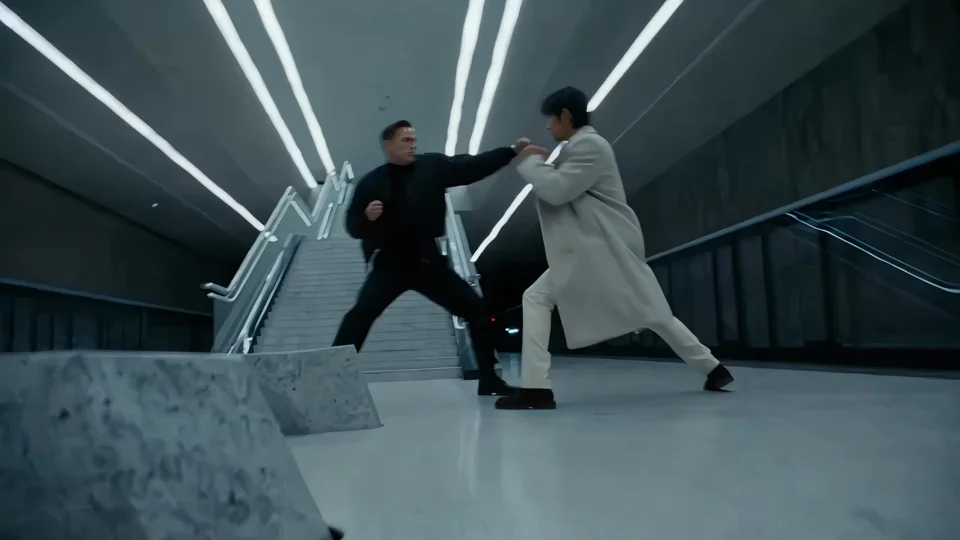
What it is
The stills are meant to look like a photographed person in clothes and light you describe, not like a video frame. Aspect ratios, qualities, batch size, prompt enhance, and seed are whatever the catalog returns in Settings and credit cost. A style is part of the model. Pick one when Create shows the style list. The default style id in the catalog is only a starting point, not a promise about how that style looks.
SOUL 2 is a stills model, so plan the frame the way you would plan a photograph. Decide the crop before you write: a face, a three-quarter fashion frame, or a wider editorial setup. Say what the person is wearing and where the light comes from, because those are the details this model is aimed at. If you need several variations, use a batch size the catalog offers instead of rewriting the prompt ten times. If you need the same still again, set the seed the settings section mentions and keep the style the same. If you need to change an existing photo, stop and use an image model that lists image-to-image. SOUL 2 will not take that upload. Readable logos and long sentences inside the picture are also the wrong job. Leave those to a model whose catalog talks about text rendering.
Best uses
Use SOUL 2 for a single portrait, a fashion look, or an editorial frame where wardrobe, pose, and light matter more than a complicated scene. It is useful when you want several stills from one prompt if the catalog offers a batch larger than one. It is not the model to choose when you need readable poster text, a character sheet with a full-body turnaround, or a clip. Those jobs belong to other models on Vidaro Studio.
Settings and credit cost
Catalog starting price: from 1 credits / image.
Realistic portraits, fashion and editorial images with SOUL styles.
Text to image: aspect ratios 1:1, 9:16, 16:9, 4:3, 3:4, 2:3, 3:2; qualities 720p, 1080p; default quality 720p.
Text to image credit cost: 1 credits per image at 720p; 2 credits per image at 1080p.
Text to image controls: Prompt enhance, Seed.
Prompt tips
Name the person only in general terms you are allowed to depict, then spend the prompt on clothing, pose, background, and light. Say whether the frame is a close-up or a longer fashion crop, and name the time of day if the light matters. If prompt enhance is listed, the settings section shows whether it starts on or off. Leave a seed when you need to repeat a result, and change the seed when you want a different still from the same words. Keep on-image text out of the prompt. This model is not described as a text-rendering model.
Limits
SOUL 2 does not accept a photo to edit, because image-to-image is not in the catalog. It will not hold a face from an upload you do not provide, and this model does not provide that upload. Qualities are only the ones listed, so do not expect a 4K tier unless it appears in the settings. Batch size is only the choices returned by the API. Durations, qualities, frame slots, and credit rates on this page are read from the current Vidaro Studio catalog. If a control is not listed in Settings and credit cost, it is not offered for this model.
FAQ
What is SOUL 2?
SOUL 2 is a Higgsfield image model on Vidaro Studio for portraits, fashion, and editorial stills from a text prompt and a SOUL style.
Is SOUL 2 the same as SOUL 2.0?
Searches for SOUL2 or SOUL 2.0 refer to this model. Vidaro Studio lists it as SOUL 2.
Can I upload a photo to SOUL 2?
The catalog lists text-to-image only. It does not list image-to-image or reference uploads.
How are SOUL 2 credits charged?
Credits are per image and depend on the quality you pick. The amounts are the catalog rates in Settings and credit cost.
How do I try SOUL 2?
Use Try SOUL 2 free. It opens Create with SOUL 2 selected.